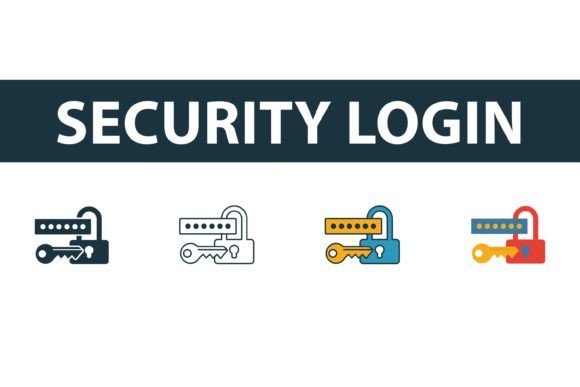
Security Login Icon Set
First Impressions: Clean, Conceptual—but Not “Cute”
When I opened the Security Login Icon Set, my immediate thought wasn’t “perfect for baby onesies.” It’s a set of four icons—filled, outline, colored, and flat—each built around digital security themes: lock, shield, key, and login symbol. They’re crisp, minimal, and unmistakably web-native. There’s no whimsy here, no rounded corners or soft gradients meant to charm toddlers. Instead, it feels like stepping into a tech startup’s brand guide: confident, intentional, slightly serious. That’s not a flaw—it’s context. As an embroidery designer who regularly adapts graphics for stitch, I instantly saw where this set shines: on custom apparel for developers, cybersecurity workshops, small tech-adjacent boutiques, or branded merch for SaaS teams.
A Real Project Test: Embroidering a Minimalist Tote for a Local Dev Meetup
Last week, I used one of the icons—a clean outline lock—from the Security Login Icon Set on a black canvas tote for a local developer meetup. We wanted something subtle but meaningful: professional enough for conference swag, tactile enough to feel handmade. The outline version translated beautifully in satin stitch at 3.2" wide—crisp edges held, no bleeding, no thread nesting. But when I tried the same size with the filled version on the same fabric? Stitch density spiked, and the center started looking heavy and slightly stiff. That’s the first real lesson: not all four styles behave the same under needle and thread. The flat and colored variants assume solid fills and smooth transitions—ideal for screen use, less forgiving on fabric unless scaled up and simplified.
Where It Fits Naturally (and Where It Doesn’t)
- Works well on: Sweatshirt embroidery (especially chest placement), embroidered patch backings, aprons for coding bootcamps, pillow covers for home offices, and minimalist tea towels for tech-savvy kitchens.
- Needs caution on: Baby embroidery (too conceptual for infant wear), curved surfaces like caps (outline versions handle curves better than filled), stretchy fabric (tight satin stitches may pucker without proper stabilizer), and dark fabric with light thread (the thin lines in the outline icon need high-contrast thread pairing).
- Avoid on: Tiny hoop sizes (<2"), textured linen or burlap (fine details vanish), and layered garments like hoodies with thick fleece backs (stitch definition blurs).
What It Adds—and What It Doesn’t
The Security Login Icon Set brings instant thematic clarity. When your Etsy listing says “Cybersecurity-Themed Embroidered Tote,” customers don’t have to guess. That recognition builds trust—especially for buyers seeking niche, identity-driven handmade products. It elevates a simple tote from generic to purposeful. But let’s be clear: it won’t add warmth to a nursery decor line, nor does it soften the look of a holiday gift. Its strength is precision—not personality. For craft business owners building cohesive digital + physical product lines, it slots neatly into printable mockups and digital embroidery file bundles. Just remember: its value multiplies when paired with complementary design assets—like monoline fonts or subtle circuit-pattern borders—not when forced into contexts it wasn’t shaped for.
Stitching Notes Every Designer Should Check First
- Test the Security Login Icon Set on scrap fabric matching your final project’s weight and weave—not just cotton twill, but your actual sweatshirt knit or tea towel blend.
- Review stitch density visually: dense fill areas may require lighter underlay or reduced density settings to avoid stiffness.
- Confirm hoop size compatibility—some versions may push the outer limits of standard 4x4 hoops, especially with added padding or text.
- Inspect small details: tiny gaps in outline icons can close up during stitching; verify they remain legible at your intended size.
- Try black-and-white mockups: does the icon retain impact without color cues? Outline and flat versions hold up best.
- Compare light vs. dark fabric backgrounds—thread color contrast makes or breaks readability, especially for the thinner line work.
- Use cutaway stabilizer for knits and tear-away for stable wovens—this isn’t decorative lace; it’s functional iconography that needs structural support.
- Double-check licensing before selling finished items or bundling as digital embroidery files—since it’s labeled “Graphics” and “Icons,” commercial reuse rights aren’t automatic.
Final Thought: A Tool, Not a Trend
The Security Login Icon Set isn’t flashy. It won’t go viral on Pinterest for its charm. But as a working embroidery designer, I appreciate tools that do one thing well—and this set delivers focused, scalable, conceptually tight iconography. It fits cleanly into custom apparel workflows, supports branding for micro-businesses in tech-adjacent spaces, and adds quiet authority to handmade products aimed at thoughtful, detail-oriented buyers. If you’re an Etsy seller curating a “Developer Essentials” collection, a boutique owner stocking gifts for engineers, or a craft fair vendor specializing in modern functional goods—this set earns its place in your design assets. Just treat it like a precision instrument: know its limits, test its behavior, and let its clarity speak for itself.